
5K Connect – Turn Your 27" 5K iMac Into an External Retina Display in 60 Seconds.
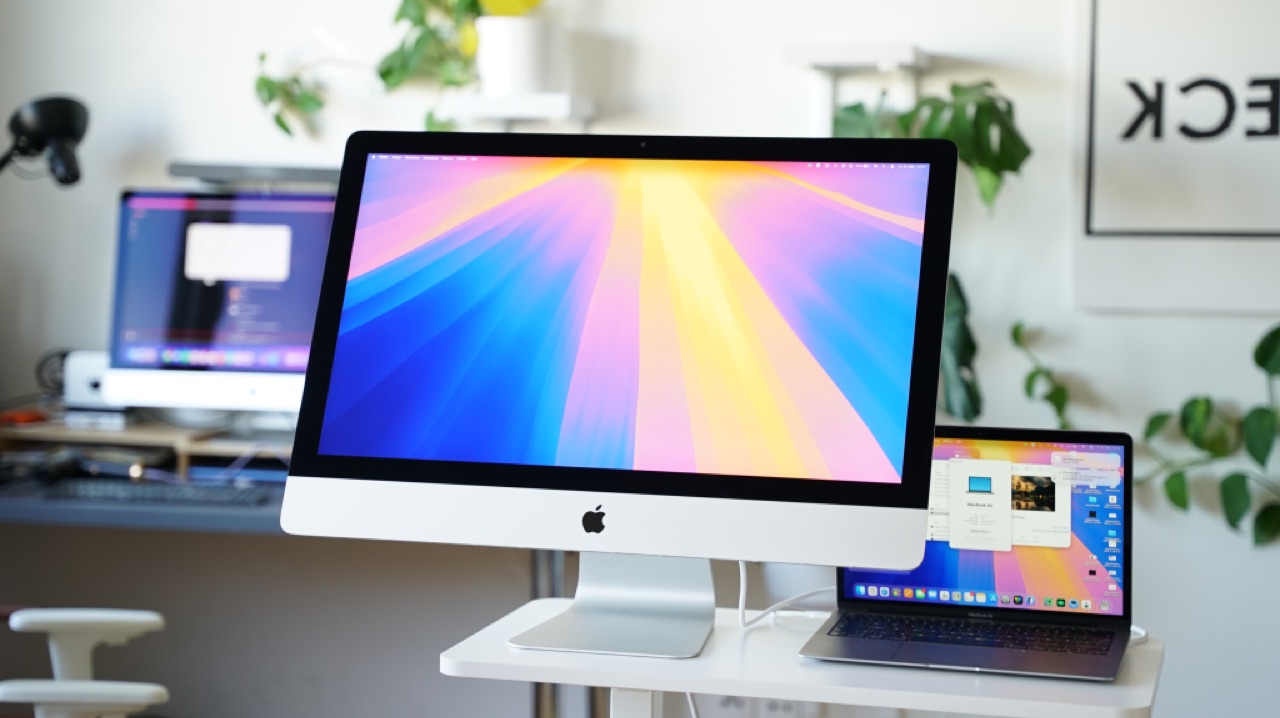
Zero disassembly, zero adhesive strips, zero hardware mods: Simply connect your MacBook, Mac mini, or Mac Studio via cable to your existing 27" Retina 5K iMac (Late 2014–2020) and work in crisp 5120 × 2880 Retina resolution at 60 FPS — something Apple removed when dropping Target Display Mode.
Apple Silicon (M1–M4) & Intel · Fair 3-day trial starts on 1st iMac connection · Valid for up to 3 personal Macs · 14-day money-back guarantee
100% Credit (Full €39) If You Ever Upgrade to Our Hardware Conversion Kit Later!
Try 5K Connect completely risk-free: Your 3-day trial only starts the moment your iMac actually connects for the first time — backed by our 14-day money-back guarantee after purchase. And if you ever decide later to permanently convert your iMac into a standalone, low-power (~35W) USB-C Studio Monitor using our Plug-and-Play 5K Hardware Kit, we credit 100% of your €39 license fee via personal discount code!
Up & Running in 3 Simple Steps (Important Cable Tip!)
No account required, no cloud servers, and zero manual IP configuration.
Open Host & Viewer
Unzip the download: Open the Host app on your main Mac (MacBook / Mac mini / Studio running macOS 13+) and the Viewer app on your 27" iMac (macOS 11 Big Sur+).
Thunderbolt or Gigabit Ethernet
Connect a genuine Thunderbolt 3/4 cable (2017–2020 iMacs), an Apple TB3-to-TB2 adapter + TB2 cable (Late 2014/2015 iMacs), or Gigabit Ethernet. (Note: White USB-C charging cables do not carry Thunderbolt networking!)
Auto-Discovery at 5K @ 60 FPS
Both Macs find each other automatically. Pick your favorite HiDPI scaling (2560×1440 Retina or 3200×1800 More Space) and adjust brightness right from your menu bar!
Built Specifically for 27" 5K Retina iMacs
Engineered for wired, ultra-low-latency desktop work — instead of laggy, blurry Wi-Fi AirPlay mirroring.
True 5K HiDPI Scaling
Razor-sharp macOS typography backed by full 5120×2880 pixels (supports 2560×1440 Retina, 3200×1800 HiDPI & 1:1 Native).
60 FPS + 120 Hz Hardware Cursor
Apple VideoToolbox hardware-accelerated HEVC pipeline paired with an instant, zero-lag vector mouse cursor.
Menu Bar Brightness Slider
Control your iMac panel’s hardware backlight smoothly right from your MacBook or Mac mini menu bar.
Supports macOS Big Sur 11+ (2014–2020)
Even the very first Late 2014 27" 5K iMac works natively out of the box — no OpenCore Legacy Patcher needed.
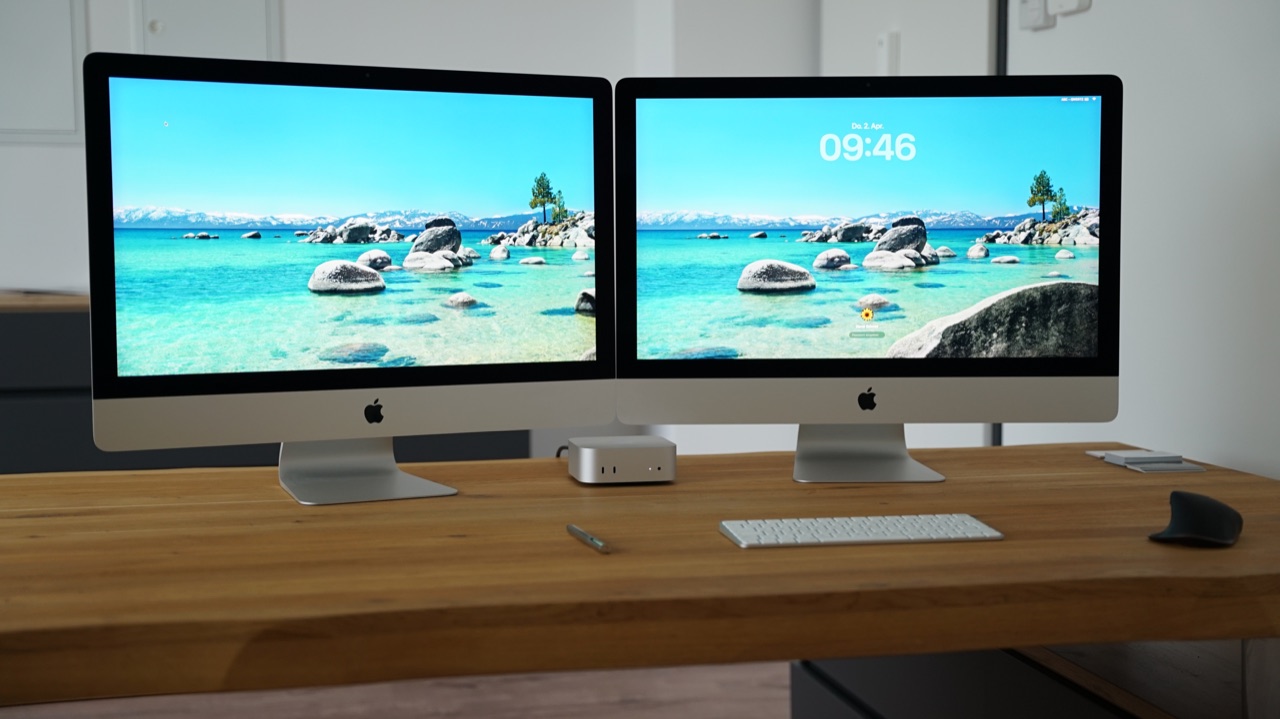
Dual 5K Monitor Mode
Drive up to two 27" 5K iMacs side-by-side simultaneously from a single Mac.
Your iMac Stays 100% Intact
Quit the app anytime and your iMac is immediately a standalone Mac again. Zero e-waste, maximum circularity.
Simple, Honest Pricing – No Subscription
Test free for 3 full days starting from your 1st connection — then unlock forever with a single payment.
3-Day Free Trial
5K Connect – Full Version
Hardware Alternative: Solder-Free USB-C 5K Conversion Kit (from €299)
If your 27" 5K iMac no longer boots — or you want a silent, standalone USB-C / DisplayPort Studio Monitor (8-Bit or True 10-Bit) that works with any Mac or Windows PC — explore our pre-wired Vienna conversion kit.
Explore 5K USB-C Hardware Kit (from €299) →Frequently Asked Questions
Which Macs and macOS versions are supported?
Host Mac (your main computer): Any MacBook Air/Pro, Mac mini, Mac Studio, or Mac Pro (Apple Silicon M1–M4 or Intel) running macOS 13 Ventura or newer.
Viewer Mac (your 27" 5K iMac): Every 27" Retina 5K iMac from Late 2014 through 2020 running macOS 11 Big Sur or newer (no patchers required).
Which cable gives the sharpest image & lowest latency?
For 2017, 2019 & 2020 iMacs, use a direct Thunderbolt 3 or Thunderbolt 4 cable (look for the lightning bolt icon). For Late 2014 & Late 2015 iMacs, use an Apple Thunderbolt 3 (USB-C) to Thunderbolt 2 Adapter + Thunderbolt 2 cable, or connect both Macs via Gigabit Ethernet.
When does my 3-day free trial start?
Only the exact moment your 27" iMac connects for the very first time! If you still need to order a Thunderbolt cable, you won’t lose a single minute of your trial. Even after the 3 days expire, a 10-minute/day quick demo mode remains available.
How do licensing, VAT invoices, refunds & the €39 hardware credit work?
Checkout is securely handled by Polar.sh (including instant license key delivery and official tax/VAT invoices worldwide). You are covered by our 14-day no-questions-asked refund guarantee. If you later order our USB-C hardware conversion kit, simply email info@abgecheckt.co with your Polar receipt to receive your personal €39 discount code!
Customer Support, 14-Day Refund Policy & Terms (Polar Merchant of Record)
Customer Support & Imprint: Armand Szumny e.U., Altmannsdorfer Straße 104/3/333, 1120 Vienna, Austria · EU VAT ID: ATU80510537 · Email: info@abgecheckt.co · Legal Notice & Privacy Policy
14-Day Money-Back Guarantee: If you are not completely satisfied with 5K Connect, simply email info@abgecheckt.co within 14 days of purchase for a full, no-questions-asked refund.
Merchant of Record & EULA: Our order process is conducted by our online reseller Polar.sh as Merchant of Record. Polar handles payment processing, global tax compliance, invoicing, and license delivery. Each license grants non-transferable activation of 5K Connect 2.x on up to 3 Macs owned by you.
Trademark Disclaimer: Apple, Mac, iMac, MacBook, Mac mini, Mac Studio, macOS, and Retina are registered trademarks of Apple Inc. 5K Connect is an independent software product by abgecheckt.co and is not affiliated with or endorsed by Apple Inc.

